

Saving Video Content for Long Flights When You Have No Wi-Fi
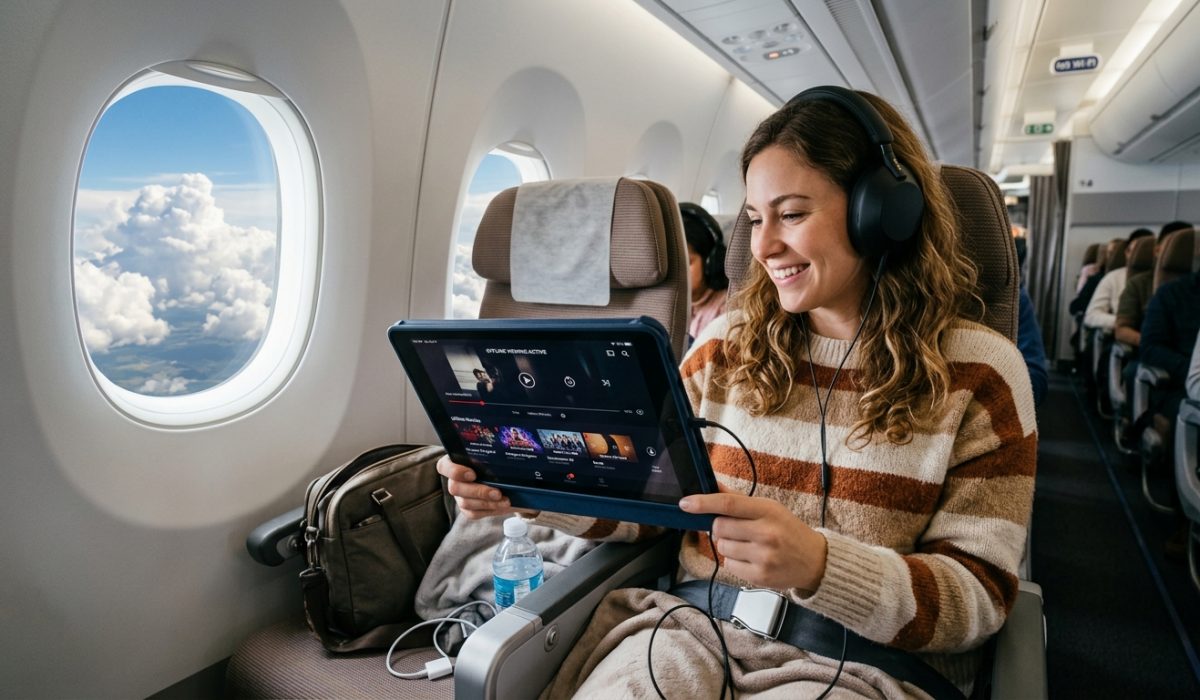
Twelve hours in the air with patchy seatback screens and no internet sounds like a recipe for boredom. But it doesn’t have to be. With a bit of prep before you leave the house, you can fill your phone or tablet with hours of destination content, city guides, hiking trail walkthroughs, restaurant Reels, all ready to watch offline at 35,000 feet. The trick is knowing exactly what to grab and how to grab it before boarding.
You don’t need Wi-Fi to watch great travel content mid-flight, and setting this up takes less than 30 minutes the night before you fly.
– Grab long-form city guides and national park walkthroughs from YouTube for deep destination research
– Save short Instagram Reels for visual inspiration on hiking routes and food shortlists
– Use a reliable downloader tool so your files live on the device, not in a streaming cache that needs a live connection
Why Long-Haul Flights Are the Perfect Research Window
Most travelers spend their flight browsing the in-seat entertainment menu or sleeping. But the hours between boarding and landing are actually prime time for destination prep. You’re not distracted by emails. You’re not doing chores. You have uninterrupted focus and a genuine reason to care about what you’re watching.
A 12-hour flight to Bangkok or Lima isn’t dead time. It’s the best research session you’ll have before landing. The problem is that most travel content lives on platforms that need a live connection. YouTube buffers without signal. Instagram won’t load Reels at all. And airline Wi-Fi is either expensive, slow, or both.
The solution is simple: download before you board.
What Kind of Content Actually Helps You Prepare
Not all video content is worth your storage space. Before you start saving files, think about what will genuinely help you land better prepared.
City guide walkthroughs are among the most useful things you can watch mid-flight. Creators who spend a week in a destination and compress it into a 20-minute video give you ground-level intel that no guidebook matches. You’ll see the actual traffic patterns near the old town, the vibe of the night market, the real distance between your hotel area and the beach.
National park and hiking trail videos are especially valuable for adventure travelers. If you’re heading to Patagonia or northern Vietnam, watching someone walk the trail before you arrive is genuinely useful. You’ll know which sections are rocky, where to expect elevation gain, and whether a particular detour is worth the extra hours.
Short destination Reels work differently. They’re more like a mood board with sound than traditional research. A well-curated Reel of a food market or a coastal village gives you a feel for a place that static photos don’t. For building a shortlist of restaurants or neighborhoods to check out, they’re hard to beat.
How to Download YouTube Videos Before You Fly
YouTube is the gold standard for long-form travel content. The challenge is getting those videos off the platform and onto your device in a format that actually plays offline. YouTube’s built-in offline feature is one option, but it only works inside the app, requires a Premium subscription, and expires after a set period. It doesn’t give you a portable file you can move or back up. A dedicated YouTube downloader does the job cleanly, saving the file directly to your device storage without the subscription requirement or expiry timer.
For a 12-hour flight, aim for a varied selection. A destination overview, a food or market video, and at least one longer nature or outdoor walkthrough covers different moods across a long journey. Save everything the night before so you’re not scrambling at the gate.
According to the Wikipedia article on in-flight entertainment, passengers increasingly prefer personal device viewing over seatback screens, particularly on long-haul routes. Having your own curated library sidesteps whatever gaps the airline’s content selection happens to have.
Using Instagram Reels for Visual Trip Planning Offline
Instagram content travels differently than YouTube. Reels are short, punchy, and built around visual appeal. They won’t replace a proper destination guide, but they fill a specific gap in trip planning that longer videos don’t cover as well.
Think about the moments where a Reel actually helps: you’re trying to decide between two hiking options and want to see what each one looks like. Or you’ve seen a restaurant mentioned three times and want a ten-second peek at the atmosphere and crowd. That’s where saved Reels earn their place.
The catch is that Instagram doesn’t let you save content directly to your device. You can bookmark posts inside the app, but those bookmarks still need a connection to load. To have Reels genuinely available without signal, you need the actual file stored locally before you board.
An Instagram downloader handles this by pulling the video file to your local storage, so it plays without needing any connection at all. For routes to destinations with notoriously poor cell coverage at the airport or during the first days of travel, this is a real practical advantage.
Building Your Offline Content Pack
The best approach is to treat this like packing. Not something you do in a rush at the gate, but something you set aside 20 to 30 minutes for the evening before departure.
Here’s what a solid pre-flight content routine includes:
- Identify two or three YouTube travel videos covering different aspects of your destination: city life, nature, food, or day trips worth considering
- Find three to five Instagram Reels for visual shortlisting, focused on restaurants, hikes, or neighborhoods you’re still undecided about
- Download everything to a clearly labeled folder on your device so you can find it without needing to search
- Check playback once before closing the app, so a corrupt file doesn’t surprise you mid-flight
- Charge your device fully overnight, and toss a power bank in your carry-on just in case
That’s the entire workflow. Less effort than picking a movie from the in-seat menu and far more useful when you land.
Storage and Battery: The Practical Side
Video files take up real space. A single 20-minute YouTube video at a watchable resolution can run between 200MB and 500MB depending on encoding. Multiply that across a few downloads and you’re looking at a gigabyte or two without much effort.
Check your available storage before you start and clear out anything you don’t need. Old screenshots, apps you haven’t opened in months, cached data from streaming services. Freeing up space before a long trip is good device hygiene regardless.
Battery is the other variable. Playing local video draws power steadily across a long flight. Many long-haul routes on major carriers offer USB or AC outlets at the seat, but budget carriers on the same routes sometimes don’t. According to the Wikipedia page on long-haul flight, aircraft configurations and onboard amenities vary significantly by carrier and aircraft type, so it’s worth checking before you assume a charge point will be available.
The Difference This Makes When You Actually Land
Here’s the part that rarely gets mentioned: the content you watch mid-flight doesn’t just kill time. It changes how you land.
Travelers who spend 12 hours watching walkthroughs of their destination arrive with a mental map that took no extra effort to build. They already know which neighborhood they want to start in. They’ve seen the inside of the market they’re heading to. They’ve shortlisted a handful of places for dinner based on actual video of the food and the atmosphere, not just an anonymous star rating.
That’s the real value of offline content prep. Not avoiding boredom, though that’s a genuine bonus. It’s arriving somewhere feeling oriented before you’ve even picked up your bag from the carousel.
Ready Before the Wheels Leave the Ground
Long flights are a rare gift: hours of focused, uninterrupted time with a reason to pay attention. The only variable is whether your content is ready when you need it.
Download your city guides the night before. Pull those destination Reels while you still have strong home Wi-Fi. Charge everything you own. Step onto the plane with a full content library and nothing left to stream.
You’ll step off knowing where you’re going, what you want to see first, and which noodle spot you’re making a beeline for. Not bad for prep work that cost nothing and took half an hour.
