

Keeping Every Booking Confirmation in One PDF Before You Travel
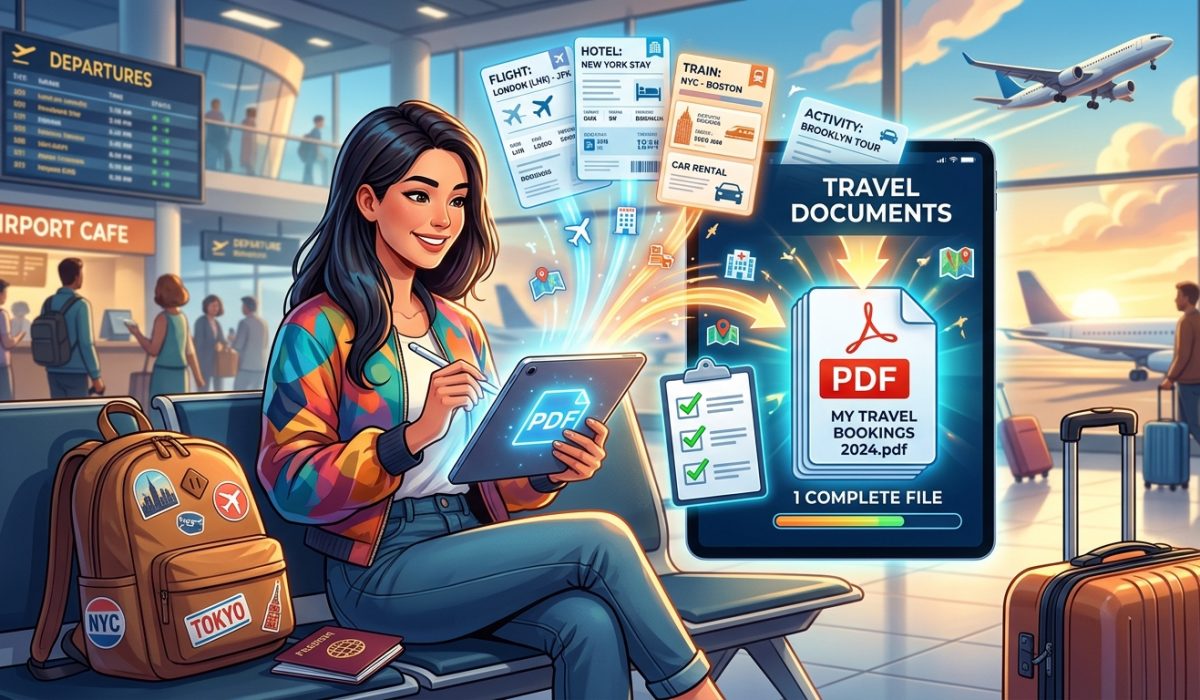
You are standing at an airport check-in counter. Your flight leaves in 90 minutes. The agent asks for your hotel voucher to confirm your onward accommodation, and you start scrolling through your inbox, opening tab after tab, clicking forwarded threads you barely remember sending yourself. The voucher is buried somewhere between a newsletter and a promotional offer. Your palms start to sweat. Sound familiar? It does to most travelers, and it is entirely avoidable.
Traveler’s Checklist:
1. Gather every booking confirmation PDF (flights, hotels, visas, insurance) into one folder before your departure date.
2. Use a browser-based tool to combine them into a single master document you can access offline.
3. Save the merged file to your phone, a USB drive, and your email drafts so you always have a backup.
Why Scattered Confirmations Cause Real Problems
Most people book travel in stages. The flight goes first, usually months out. The hotel comes later. The travel insurance is added last minute. The visa application generates its own thread of government emails. By the time departure day arrives, your itinerary is distributed across a dozen different messages from a dozen different senders.
That fragmentation creates friction at every checkpoint. Border officers, hotel front desks, car rental counters, and tour operators all want to see paper, or at least a screen they can photograph. Flipping between apps while someone waits behind a counter is stressful for everyone involved.
There is also the connectivity problem. Roaming data is expensive. Airport Wi-Fi is unreliable. Hotel lobbies have been known to have login walls that eat five minutes before you can get online. A document that lives in your cloud account is only accessible when you have a decent signal. A single offline PDF on your device is accessible anywhere, always.
What Goes Into a Master Travel Document
Not every file in your inbox needs to make the cut. A good master travel document is thorough but not bloated. Think of it as the paper equivalent of a go-bag: everything you might need to show someone, nothing you would never need.
Here is what belongs in it:
- Flight confirmation with booking reference and e-ticket number
- Hotel reservation with check-in instructions, cancellation policy, and the property address
- Travel insurance certificate showing your policy number and the emergency contact line
- Visa approval letter or entry permit (for countries that require one)
- Car rental booking if applicable
- Any tour or activity reservations that require proof of purchase
- A copy of your passport data page (keep this separate from your physical passport when going through customs)
That list can easily run to eight or ten pages once you include all the small-print details. As a single PDF, it is still one file. As separate attachments, it is a scavenger hunt.
How to Build the File in Under Two Minutes
The actual combining process is simpler than most people expect. You do not need desktop software, a subscription, or any technical knowledge.
Start by downloading all your confirmation PDFs from your email. Most booking platforms (airlines, hotel chains, OTAs) send PDF attachments directly, or give you a “Download PDF” button in your booking portal. Save them all into one folder on your desktop.
Then open a browser and use a tool that lets you merge PDF files without installing anything. Upload your documents, arrange them in a logical order (flights first, accommodation second, insurance third, visa last), and combine them. The whole process takes about 90 seconds once you have the files ready.
Name the output file something obvious. A format like `2026-LISBON-TRIP-MASTER.pdf` means you can find it instantly in your downloads folder or camera roll six months from now without opening it first.
The Right Order Makes a Difference
When you merge your documents, think about how they will be used on the road. Someone at a border crossing wants to see your visa or entry permit first. A hotel front desk wants your reservation confirmation before anything else. An airline lounge agent wants your boarding pass and fare class visible fast.
Arranging the merged file so that the most frequently requested documents appear at the front saves you from scrolling through twelve pages under pressure. A simple page count written on a sticky note in your wallet (“hotel: page 4, insurance: page 7”) is a small touch that pays off in stressful moments.
Offline Access Is the Whole Point
Once the file is built, put it in three places. Save it to your phone’s local storage, not just a cloud-synced folder. Many cloud apps only sync when you are online, which defeats the purpose. Save it to a USB drive or SD card if you travel with a laptop. And email the file to yourself as an attachment so you can pull it from any internet cafe or hotel business center in a pinch.
According to research on travel document management, official travel documents and supporting papers have been standardized internationally to make border crossings more predictable, but the burden of organizing personal booking records still falls entirely on the traveler. There is no system that does it for you.
That means the preparation has to come from you, before you leave.
When Things Go Wrong Mid-Trip
Having a master document pays its biggest dividend when something goes wrong, not when everything goes smoothly. If your airline cancels a connection and you need to claim hotel accommodation under your travel insurance, you will need your policy number, your original itinerary, and evidence of the disruption. Those three things are already in your PDF. You can hand your phone to a service desk agent in seconds.
If a hotel claims they have no record of your booking (it happens more often than it should), you can show the printed confirmation with the booking reference and the cancellation policy without hunting through email.
Consider what commonly goes wrong for travelers in unfamiliar destinations:
- Language barriers make verbal explanation unreliable, but a document with a booking reference is universal
- Time zone confusion means customer service lines for your home country are asleep when you need them
- Lost or stolen phones are catastrophic if your itinerary only existed in one app, but fine if you have a backup on a USB drive
Building the Habit Before Every Trip
The best time to build your master travel document is about 48 hours before departure. By then, most bookings are confirmed and non-changeable, so the information is stable. Any last-minute additions (a taxi transfer, a restaurant reservation that required a deposit) can be downloaded and added in seconds.
Make it part of your packing checklist. Most experienced travelers already run through a mental list before leaving: passport, charger, adapters, medication. Adding “merge and save travel PDFs” to that list takes about two minutes and eliminates an entire category of airport stress.
If you travel frequently, keep a folder on your desktop labeled “Next Trip” and drop confirmations into it as they arrive. When departure approaches, the folder is already full and ready to merge.
One File, Every Country
The beauty of a single merged PDF is that it scales to any trip. A weekend city break might produce three pages. A six-week overland journey through multiple countries might run to thirty. Either way, it is one file, one place, one tap to open.
Travelers who have adopted this habit consistently report that it changes how confident they feel at checkpoints. Not because anything changes about the trip itself, but because the information they need is already in their hand.
Your Document Is Ready, So Are You
The next time you book a trip, do not just forward the confirmation emails to yourself and assume you will figure it out later. Download each PDF as it arrives. Two days before you fly, open a browser, drop them into a merge tool, and save the combined file to your phone and your email. That is the entire process.
You will never again stand at a check-in counter with sweat on your palms, scrolling backward through a month of email. Your itinerary will be one tap away, offline, organized, and ready for anyone who asks.
