

Why You Need a VPN Before Connecting to Airport or Hotel Wi-Fi
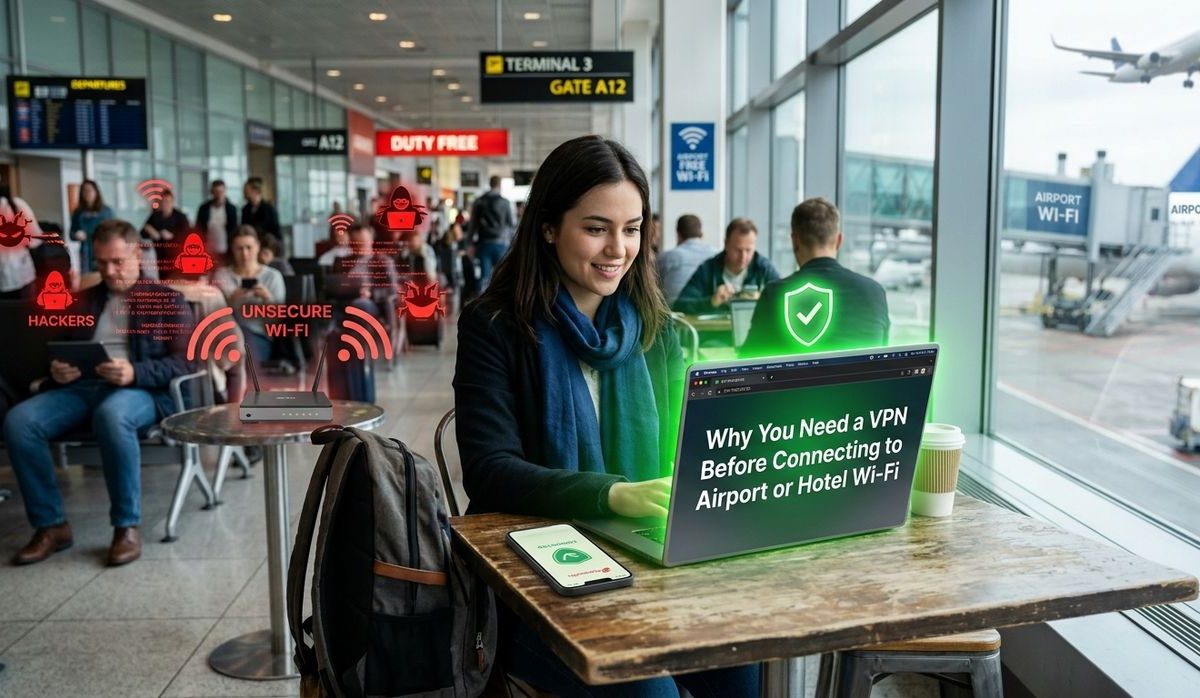
You land after a six-hour flight, you’re tired, and the first thing you do is tap into the free airport Wi-Fi. It feels harmless. Millions of travelers do exactly the same thing every day, and most of them have no idea that someone sitting two gates over could be intercepting their login credentials in real time. Public Wi-Fi is one of the most overlooked travel risks out there, and it is not just a problem for careless users or people who ignore security warnings. It can happen to anyone who connects without protection.
Public Wi-Fi in airports, hotels, and coffee shops exposes your personal data to anyone on the same network with the right tools.
– Open and shared-password networks transmit your traffic in a form that attackers can read without much effort.
– Fake Wi-Fi hotspots impersonate legitimate networks, tricking your device into connecting automatically.
– Encrypting your connection before it leaves your device is the single most effective way to stay protected while traveling.
The Problem With “Free Wi-Fi”
Free does not mean safe. When a network has no password, or uses a shared password scrawled on a sign at the hotel front desk, your connection is essentially public. Every device on that network can, in theory, see traffic coming from every other device.
This is not a theoretical concern. Security researchers demonstrate this risk constantly. The technique involved is called packet sniffing, and network packet analysis requires nothing more than freely available software and a laptop. Someone with a basic tutorial and fifteen minutes of practice could do this while sitting next to you at your departure gate.
Most travelers assume the padlock icon in their browser means they are safe. That padlock confirms a site uses HTTPS, which encrypts traffic between your browser and that specific website. But it does not protect against every attack vector on an open network, and not every app you have installed defaults to HTTPS for all its traffic.
What Actually Happens on an Open Network
Here is the sequence of how someone can compromise your data while you browse on public Wi-Fi:
- An attacker connects to the same open network you are using.
- They run packet capture software that logs all unencrypted traffic flowing across the network.
- If you sign into a site that does not enforce HTTPS, your username and password appear in plain text in their log.
- Even on HTTPS sites, metadata, like which domains you are visiting and when, can still be visible.
- A more sophisticated attacker positions themselves between your device and the router, intercepting your traffic before it reaches its destination. This is known as a man-in-the-middle attack and it can affect even encrypted sessions under certain conditions.
- Session cookies, the small tokens that keep you logged into accounts, can be stolen and reused without your password ever being captured.
None of this requires physical proximity. The attacker can be across the terminal, in a different wing of the airport, or outside the building entirely if the signal carries that far.
Fake Hotspots: The Threat You Cannot See
One of the nastiest tricks used against travelers is the evil twin access point. An attacker creates a Wi-Fi network that mimics a legitimate one by giving it the same name. “Hilton Guest Wi-Fi.” “Airport Free Internet.” “Hotel Lobby.” Your device sees the familiar name and connects automatically, sometimes without any prompt at all.
Once you are on the fake network, the attacker controls everything. They can read your traffic, inject content into the pages you visit, and redirect you to convincing fake login pages that steal your credentials. Your banking app opens normally. Your email loads fine. You have no idea anything is wrong.
There is no reliable way to tell a fake access point from a real one just by reading its name. This is exactly why trusting the network name is never enough.
Hotels Are Not as Safe as You Think
Budget travelers often assume that a business hotel is safer than a free airport hotspot. In practice, the risk profile can be just as bad. Hotel networks handle hundreds of guests simultaneously, often on the same network segment. A guest in Room 406 could, with the right tools, capture traffic from guests on the same floor.
Hotels also tend to run older networking equipment that may not have been updated in years. Some properties still use outdated encryption standards that were abandoned by the security community long ago. Even more modern networks with shared passwords offer limited protection when every single guest in the building knows the password.
The five-star property is not necessarily safer. Prestige does not equal network security. A luxury hotel with an understaffed IT department and aging infrastructure can be just as vulnerable as a budget motel.
What a VPN Actually Does for Travelers
A virtual private network creates an encrypted tunnel between your device and a server run by the VPN provider. All your internet traffic passes through that tunnel before it reaches the open internet, regardless of what network you are connected to.
Here is what that means in practical terms:
- Anyone sniffing traffic on the local network sees only encrypted data, not your actual content.
- Your real IP address is hidden from the sites and services you use.
- Fake access points cannot inject content into your traffic because it is encrypted before it ever reaches them.
- Your DNS queries, which reveal which sites you are visiting, are also routed through the encrypted tunnel, not exposed to the local network.
Setting up a dedicated travel VPN before you leave home is one of the highest-return things you can do for your digital security while on the road. It takes minutes to install and costs a fraction of what a single case of identity theft or credential theft would cost you in time, stress, and money.
Who Carries the Most Risk
Some travelers face greater exposure than others. These groups should treat a VPN as a non-negotiable travel item, not an optional extra:
- Remote workers who access company systems, shared drives, or internal dashboards while away from the office.
- Frequent flyers whose airline loyalty accounts hold enough points to be worth targeting on the dark web.
- Business travelers carrying sensitive client files, proprietary documents, or contract details on their devices.
- Anyone who checks their bank account, pays bills, or shops online while connected to a hotel or airport network.
If you fall into any of these categories, the question is not whether you need a VPN. It is why you have not set one up yet.
Setting Up Before You Leave Home
The worst possible time to figure out a VPN is when you are already sitting in a departure lounge. Install it at home, on your own trusted network, before the trip starts. Test the connection to confirm it works. Enable the kill switch feature if the app offers one. A kill switch cuts your internet access completely if the VPN drops unexpectedly, which means you will never accidentally browse in the open without realizing it.
Set the app to connect automatically on networks your device does not recognize. This removes the need to remember to activate it every time you join a new network at a layover airport or a new hotel. Also put it on your phone, not just your laptop. Mobile devices connect to Wi-Fi constantly and are just as exposed.
Pack It Like You Pack Your Passport
You would not travel internationally without your passport. You probably would not skip travel insurance either. Network security deserves the same level of automatic inclusion in your pre-trip checklist.
Open Wi-Fi at airports, hotels, and coffee shops is not going away. Neither are the people who know how to exploit it. The risks are real, the consequences range from annoying to financially devastating, and the fix is simple.
Get a VPN installed before you pack your bag. Connect to it every time you use a public or hotel network. Treat it as part of traveling smart, not as something reserved for tech professionals or corporate security teams. Anyone carrying a phone and a boarding pass is carrying a target. The best time to protect yourself is before the trip starts.
