

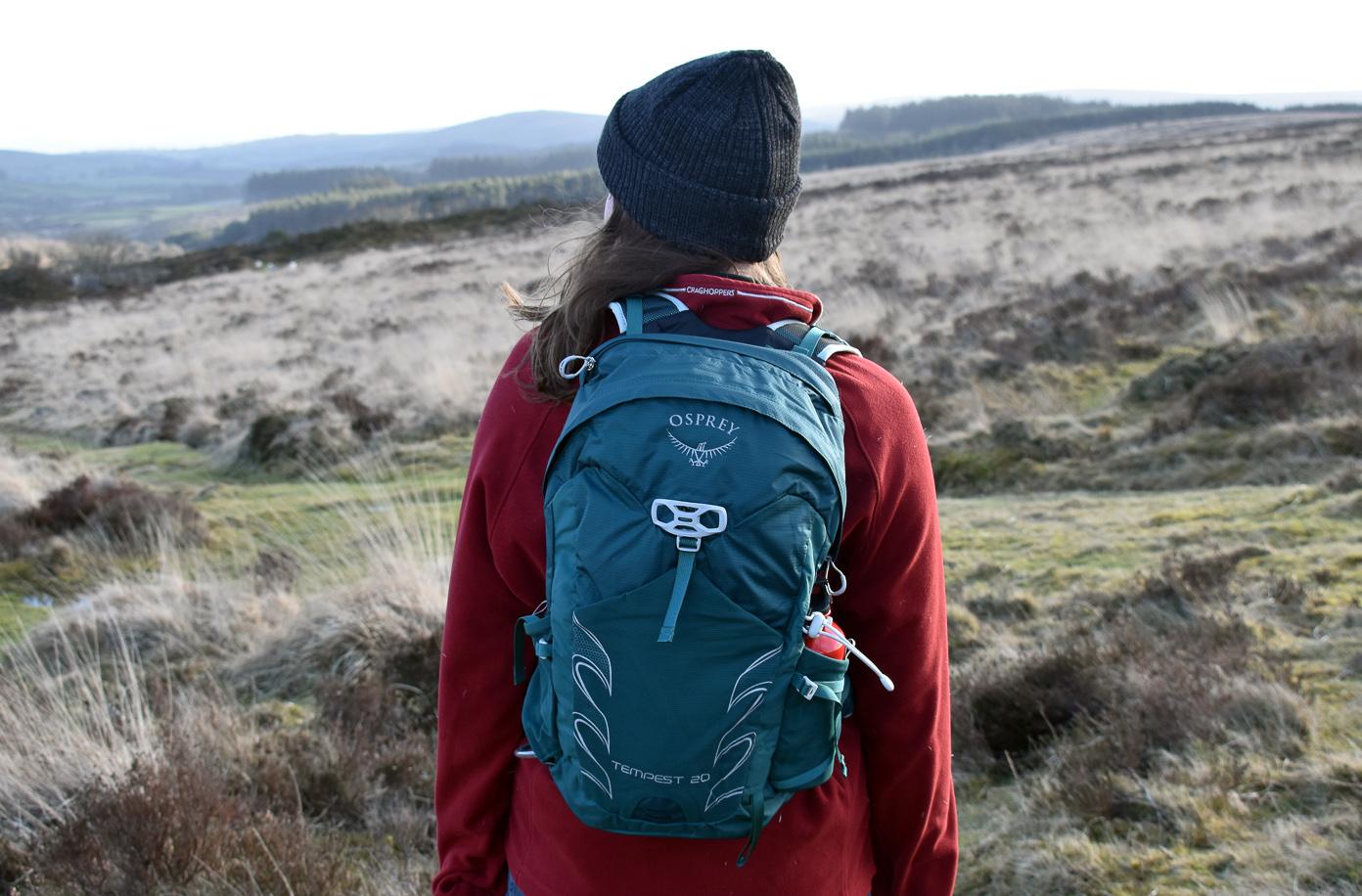
To fit an Osprey backpack, first choose the correct torso size and then adjust the hipbelt so it sits centered over your hip bones. The only way to guarantee this fit is to try the pack on in a store before you buy it. Before putting the backpack on, loosen the hipbelt completely, then position it with the padding roughly half above and half below the crest of your hips, and finally tighten the load lifters to a 30–55-degree angle from your shoulders.
Step 1: Choosing the Right Osprey Backpack
When it comes to fitting an Osprey backpack, the first and most important step is choosing the right size. Osprey offers a range of backpacks with different sizes and capacities to accommodate various needs. Here are some factors to consider when selecting your Osprey backpack:
Related travel guides: What Are The Straps On A Backpack Called, How To Put Water Bladder In Backpack, and How To Install Osprey Hydration Bladder In Backpack.
- Capacity: Determine how much gear you need to carry. Osprey backpacks typically range from 10 liters for daypacks to over 70 liters for expedition packs.
- Torso Length: Measure your torso length to find the right fit. This is the distance between the base of your neck and the top of your hip bones. Osprey backpacks are available in different torso lengths, typically ranging from extra small to extra large.
- Gender-Specific Fit: Consider whether you need a backpack designed specifically for men or women. Women's backpacks are tailored to fit the female body shape and typically have narrower shoulder straps and a shorter torso length.
- Try Before You Buy: Visit a retail store and try on different Osprey backpacks to ensure a proper fit. Pay attention to how the backpack sits on your shoulders, how the hipbelt feels, and whether the torso length matches your measurements.
Once you have determined the appropriate size and style of Osprey backpack for your needs, you can move on to the next step: adjusting the shoulder straps.
Step 2: Adjusting the Shoulder Straps
After selecting the right Osprey backpack, the next step is adjusting the shoulder straps for a comfortable fit. Properly adjusted shoulder straps ensure that the weight of the backpack is evenly distributed and that the load is supported by your shoulders. Here's how to adjust the shoulder straps of your Osprey backpack:
- Before putting the backpack on, locate the hipbelt and loosen it completely. Also loosen all other webbing so the pack is easy to don.
- Put on the backpack and tighten the shoulder straps slightly so that the backpack rests comfortably on your back.
- Ensure that the load lifters, located at the top of the shoulder straps, are positioned at about a 30–55-degree angle from your shoulders.
- While wearing the backpack, grasp the straps and adjust them evenly on both sides until the weight is evenly distributed and the shoulder straps sit snugly on your shoulders.
- Make sure the shoulder straps are not too loose or too tight. You should be able to slide your hand between the strap and your shoulder, with a slight amount of resistance.
- Double-check that the shoulder straps are symmetrical and not twisting or bunching up.
Remember, the key to adjusting the shoulder straps is finding the right balance between comfort and support. Take the time to fine-tune the adjustments until you find the perfect fit that allows you to move freely while minimizing strain on your shoulders.
Once you have adjusted the shoulder straps, you can move on to the next step: adjusting the hipbelt.
Step 3: Adjusting the Hipbelt
One of the key features of Osprey backpacks is their ergonomic hipbelt, designed to transfer the weight of the backpack from your shoulders to your hips. Properly adjusting the hipbelt ensures that the majority of the load is supported by your strongest muscles and minimizes strain on your back. Follow these steps to adjust the hipbelt of your Osprey backpack:
- Position the hipbelt around your hips, ensuring that it is centered over your hip bones with the padding roughly half above and half below the crest.
- Begin tightening the hipbelt by pulling the straps forward, evenly on both sides.
- Adjust the tension of the hipbelt until it feels snug but comfortable. You should feel most of the weight transfer from your shoulders to your hips.
- Make sure the hipbelt is centered and sits straight across your hips without any twists.
Remember, the hipbelt should be snug enough to distribute the weight of the backpack onto your hips, but not too tight that it constricts your movement or causes discomfort. It's also important to ensure that the hipbelt doesn't ride up onto your waist, as this can put unnecessary pressure on your back.
By adjusting the hipbelt properly, you'll experience better stability and weight distribution, allowing for a more comfortable and enjoyable backpacking experience.
Once you've adjusted the hipbelt, you can move on to the next step: adjusting the load lifters.
Step 4: Adjusting the Load Lifters
The load lifters are an essential part of an Osprey backpack's suspension system. These straps, located at the top of the shoulder straps, help to stabilize the load and prevent it from pulling away from your back. Adjusting them properly improves balance and weight distribution. Follow these steps:
- While wearing the backpack, locate the load lifters on both sides of the shoulder straps.
- Ensure that the load lifters are at about a 30–55-degree angle from your shoulders.
- Adjust the load lifters by pulling them upward or downward until they snugly fit against your shoulders.
- Take note of any changes in the position of the backpack. The load lifters should create a slight angle, bringing the top of the backpack closer to your body.
- Make sure the load lifters are adjusted equally on both sides for balanced weight distribution.
Properly adjusting the load lifters prevents the backpack from sagging and ensures even weight distribution across your back, reducing fatigue during long hikes. Once done, move on to tightening the sternum strap.
Step 5: Tightening the Sternum Strap
The sternum strap is a small but important feature of an Osprey backpack. It helps distribute the weight of the backpack and keeps the shoulder straps in position, enhancing stability and comfort. Properly adjusting the sternum strap can prevent the backpack from shifting and alleviate strain on your shoulders. Follow these steps to tighten the sternum strap on your Osprey backpack:
- Before putting the backpack on, locate the hipbelt and loosen it completely, along with all other webbing.
- Put on the backpack and locate the sternum strap, which is positioned across your chest.
- Ensure that the sternum strap is centered and sits comfortably just below your collarbone.
- Connect the sternum strap by sliding the buckle together.
- Adjust the height of the sternum strap according to your preference. It should be tight enough to keep the shoulder straps in place, but not so tight that it restricts your breathing or causes discomfort.
- Once adjusted, take note of any changes in the fit and how it affects the overall comfort and stability of the backpack.
The sternum strap helps distribute the weight more evenly on your shoulders and can prevent the backpack from swinging or pulling backward as you move. By properly tightening the sternum strap, you'll experience increased stability and reduced strain on your shoulders and upper body.
Once you've tightened the sternum strap, you can move on to the next step: adjusting the compression straps.
Step 6: Adjusting the Compression Straps
Compression straps stabilize the load, reduce bulk, and improve balance. Proper adjustment prevents gear from shifting during your adventures. Follow these steps:
- Identify the compression straps on the sides and front of your backpack.
- Then, starting with the side compression straps, pull them tight to secure the contents and minimize excess space.
- Adjust the compression straps evenly on both sides, ensuring the load is compressed and stabilized without causing discomfort or restricting movement.
- Move on to the front compression straps and tighten them to further secure the contents.
- Check that the compression straps are snug but not overly tight. They should compress the load without causing strain or distortion.
Properly adjusted compression straps improve balance and mobility on the trail, letting you focus on the hike ahead.
Step 7: Fine-Tuning for Comfort
After adjusting the major components of your Osprey backpack, it's time to fine-tune the fit for ultimate comfort. This step involves making small adjustments and ensuring that all the straps and features of your backpack are properly secured and aligned. Here are some additional tips to fine-tune your Osprey backpack:
- Check for Balance: Ensure that the weight of your backpack is evenly distributed and centered on your back. A well-balanced backpack allows for better posture and reduces strain on your muscles.
- Loose Ends: Make sure all excess strap lengths are properly secured and tucked away. Loose straps can dangle or get caught on branches, posing a safety hazard and causing annoyance while hiking.
- Range of Motion: Test your range of motion with the backpack on, especially when it comes to your arms and neck. You should be able to move freely without any restriction.
- Load Distribution: If your backpack has a hipbelt stabilizer or load lifter adjustment straps, fine-tune them to optimize load distribution and ensure maximum comfort.
- Take Test Walks: Before embarking on a long trek or hike, take short test walks to ensure that the fit is truly comfortable. Pay attention to any pressure points, rubbing, or discomfort and make any necessary adjustments.
Before putting the backpack on, locate the hipbelt and loosen it completely, along with all other webbing, to allow for easier adjustment once the pack is on. Fine-tuning your Osprey backpack is the final step towards achieving a personalized and comfortable fit. These small adjustments can make a big difference in your overall comfort and enjoyment during your outdoor adventures.
Remember, everyone's body shape and preferences are different, so take the time to experiment and adjust your Osprey backpack until it feels just right for you.
With your Osprey backpack fitted to perfection, you're now ready to embark on your next adventure with comfort and confidence!
Conclusion
Fitting your Osprey backpack properly is essential for a comfortable and enjoyable outdoor experience. By following the steps outlined in this guide, you can ensure that your backpack is adjusted to your specific needs, providing optimal support and weight distribution.
Choose the right size Osprey backpack based on its capacity, torso length, and any gender-specific features. Adjust the shoulder straps, hipbelt, load lifters, and sternum strap to achieve a customized fit. Fine-tune the compression straps and check for overall balance and comfort.
An ill-fitting backpack can lead to discomfort, strain, and even potential injuries. Taking the time to properly fit your Osprey backpack will improve your comfort and help you maintain better posture and endurance on the trails. Before any adventure, test your fitted backpack on short walks or hikes to ensure its comfort and functionality, making any necessary adjustments.
