

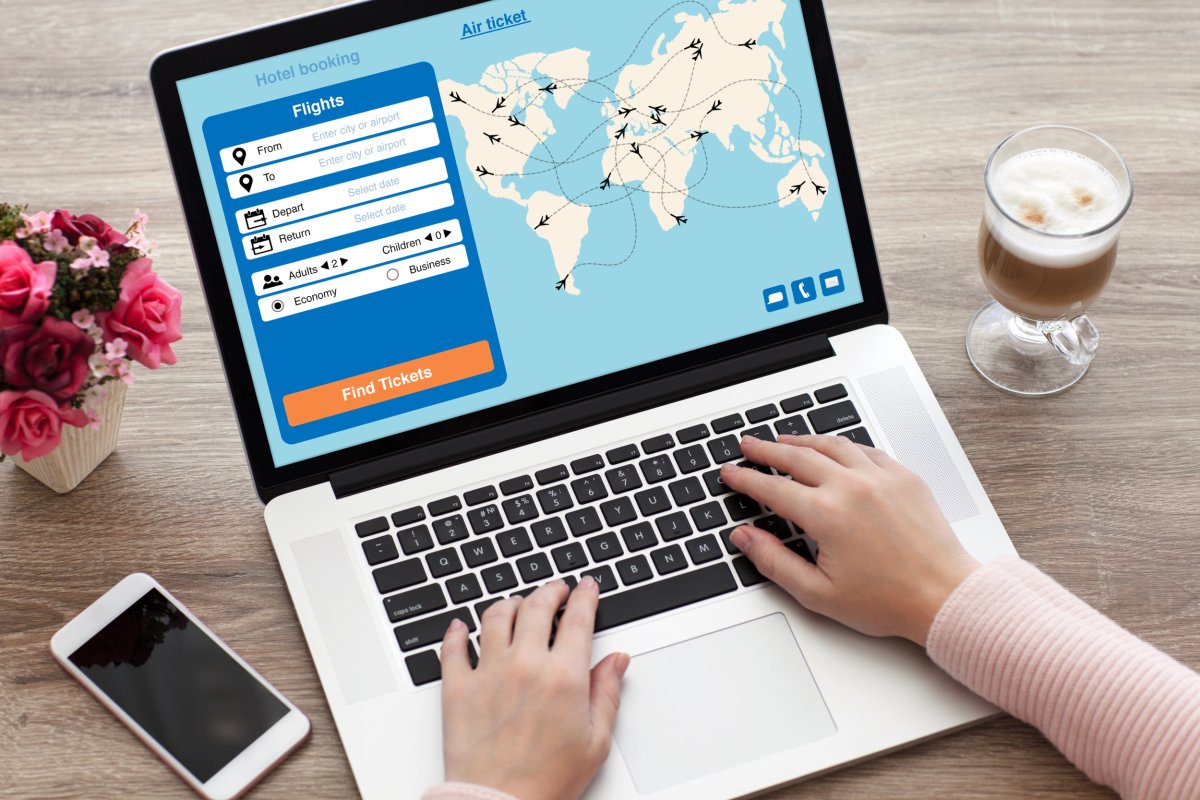
To make a flight reservation online, you search for flights, compare prices, and book directly on an airline or travel website. The key is knowing that you can often save money by booking round-trip flights with different airports or adding a stopover, but you must also understand cancellation policies and how to add existing reservations to your account.
Benefits of Making Flight Reservations Online
When it comes to booking flights, making reservations online offers a plethora of advantages. Here are some key benefits that make online booking a preferred choice for travelers:
- Convenience: One of the primary benefits of online flight reservations is the convenience it offers. Gone are the days of visiting multiple travel agencies or spending hours on the phone to secure your tickets. With just a few clicks, you can access a wide range of flight options, compare prices, and book your tickets at any time of the day or night.
- Time and Effort Saving: Online flight reservations eliminate the need for time-consuming processes. You can quickly search for flights based on your preferred dates, destinations, and travel preferences. This saves you precious time and effort that can be better spent on planning other aspects of your trip.
- Cost-Effective: Online booking platforms often offer discounted prices and exclusive deals that are not available through traditional booking methods. By comparing prices across different airlines and travel websites, you can find the best deals and save money on your flight reservations.
- Flexibility and Customization: Online reservations allow you to tailor your travel plans according to your preferences. You can choose from various flight options, select specific seating preferences, and even modify your itinerary if needed. This flexibility gives you more control over your travel arrangements. For example, you can easily book round-trip flights with different airports if your travel plans require it.
- Real-Time Updates: When you book your flight online, you gain access to real-time information about flight schedules, delays, and cancellations. This allows you to stay informed and make necessary adjustments to your travel plans if any unexpected changes occur.
These are just a few of the many benefits that come with making flight reservations online. The convenience, time-saving, cost-effectiveness, flexibility, and access to real-time updates make online booking a preferred choice for travelers worldwide. So, why not take advantage of these benefits and make your next flight reservation online?
Researching and Comparing Different Flight Options
When making flight reservations online, thorough research and comparison help you find the best deals and most suitable flights. Here are tips for this process:
- Use Flight Search Engines: Start with reputable engines like Google Flights, Skyscanner, or Kayak. Enter your travel details to browse multiple airlines, comparing prices and schedules.
- Be Flexible with Dates and Destinations: Adjusting travel dates by a few days or exploring alternative airports near your destination can significantly lower costs.
- Set Fare Alerts: Many search engines allow you to set fare alerts for specific routes. You will receive notifications when prices drop, helping you snag a better deal.
- Consider Layovers: If saving money is a priority, choose flights with layovers instead of direct flights. Layovers prolong travel time but often offer more affordable fares.
- Check Airline Websites: After identifying potential flights through search engines, visit the official airline websites. Airlines sometimes offer exclusive deals or discounted fares not displayed on search platforms.
- Read Reviews: Before finalizing, read reviews about specific airlines or flights. Focus on customer service, comfort, on-time performance, and baggage policies to ensure a pleasant experience.
- Consider Premium Memberships or Loyalty Programs: If you frequently travel with a specific airline, join their premium membership or loyalty program. These programs provide exclusive benefits, discounts, and upgrades. For example, you can easily add a trip to your Southwest account or add a trip to American airlines account to track earnings and perks.
By researching and comparing options, you can find the best deals, maximize your budget, and choose flights that meet your preferences. Keep these tips in mind when making online reservations.
Choosing the Right Travel Website or Platform
With numerous travel websites and platforms available, choosing the right one is key to a smooth booking. Consider these factors when selecting a site for your flight reservations:
- Reputation and Reliability: Use well-established platforms with a proven track record. Check user reviews and ratings to gauge credibility.
- User-Friendly Interface: Look for a site with clear navigation, filters, and sorting options to find relevant flights quickly.
- Wide Range of Airlines and Routes: Ensure the platform offers a broad selection of airlines and routes. This gives you more options for convenient, cost-effective flights.
- Transparent Pricing: Choose a platform that shows all fees and taxes upfront. Understand the total cost before finalizing your reservation to avoid hidden charges.
- Customer Support: Verify that the site provides reliable support via live chat, email, or phone. Prompt assistance is invaluable if issues arise.
- Secure Payment Options: Confirm the platform uses SSL encryption and reputable processors like PayPal or major credit cards to protect your information.
- Additional Travel Services: Consider platforms that also offer hotel bookings, car rentals, or travel insurance. Bundling can save time and money.
If you need to book round-trip flights with different airports, ensure the platform supports this flexibility before starting your search. For travelers using Allegiant Air, you can use trip Flex on Allegiant air to adjust your itinerary if plans change.
Keep these factors in mind to ensure a smooth booking experience and peace of mind throughout your journey.
Step-by-Step Guide to Making a Flight Reservation Online
- Choose a Reliable Travel Website: Select a reputable travel website or platform that meets your requirements, based on the factors discussed earlier.
- Enter Your Travel Details: On the homepage or search page, enter your departure and arrival locations, travel dates, and number of passengers. Click "Search" or "Find Flights."
- Browse the Available Flight Options: The website displays a list of flights based on your search criteria. You can see the airline, flight duration, layovers, and total price. Use filters and sorting options to narrow down choices.
- Select Your Preferred Flight: Click on a flight to view more details. Check departure and arrival times, layover durations, and additional information. Note baggage restrictions and specific terms.
- Select Your Seat: Most websites allow seat selection during the reservation process. Choose a window or aisle seat. Some airlines charge seat selection fees.
- Provide Passenger Information: Fill in full names, contact details, and any special requests. Review the information carefully for accuracy before proceeding.
- Review and Confirm Your Reservation: Carefully review the flight itinerary, passenger information, and total cost. If everything is correct, proceed to the payment page.
- Make the Payment: Choose your preferred payment method and enter the necessary details. Ensure you are on a secure payment page with SSL encryption. After payment, you will receive a confirmation email with your flight details.
- Check for Confirmation: Double-check your email for the confirmation. Note your booking reference number for future queries or modifications.
- Optional: Manage Your Reservation: Many travel websites allow you to manage reservations online. You can make changes to your itinerary, select seats, add extra services, or update passenger information. If you need to book round-trip flights with different airports, this is where you can adjust your itinerary. You can also add a trip to your Southwest account or add a trip to American Airlines account if those options are available on the site.
By following these steps, you can make a flight reservation online with confidence.
Tips for a Smooth Online Flight Reservation Experience
- Plan and Research in Advance: Start early to compare prices and find deals that match your budget. This gives you time to secure flights that fit your preferences.
- Double-Check your Travel Details: Before finalizing, review dates, destinations, and passenger information to avoid errors.
- Be Flexible with your Travel Dates: Flying on weekdays or during off-peak seasons often results in lower fares.
- Clear your Browser's Cache: Use incognito or private browsing to see current flight prices. Cached data can show outdated information.
- Consider Travel Insurance: Evaluate insurance to protect yourself from costs due to cancellations, delays, or medical emergencies.
- Take Note of Important Dates: Record the ticket confirmation deadline, check-in dates, and time limits for changes or cancellations to avoid penalties.
- Sign Up for Fare Alerts: Subscribe to price-drop notifications for your desired routes to grab better deals.
- Use Secure Wi-Fi: Connect to a private, secure network when booking to protect personal and financial data.
- Save your Booking Confirmation: Keep a printed or electronic copy on your phone or computer for easy access during your trip. For example, you can use the airline's tools to add a trip to your Southwest account or add a trip to American airlines account for quick reference.
- Contact Customer Support if Needed: Reach out to the travel website or platform's support team if you encounter issues or have questions during the process.
By following these tips, you can ensure a smooth online flight reservation experience. Stay organized, double-check your details, and take advantage of available resources to make informed decisions for your trip.
Understanding Cancellation and Refund Policies
When making flight reservations online, familiarize yourself with the cancellation and refund policies of the airline or travel website. Understanding these policies can save you headaches and financial losses if you need to modify or cancel your reservation.
- Read the Terms and Conditions: Before finalizing your reservation, read the terms and conditions provided by the airline or travel website. Pay attention to the cancellation and refund policies, as they vary between different airlines and fare types.
- Check for Free Cancellation Period: Some airlines or travel websites offer a free cancellation period, usually within 24 hours of making the reservation. During this time, you can cancel your flight without incurring any charges. Verify if this option is available and use it if needed.
- Understand the Cancellation Fee Structure: Most airline tickets, especially discounted fares, come with a cancellation fee. The amount depends on the fare type, the time of cancellation, and the airline's policies. Review the fee structure and be aware of potential charges.
- Consider Refundable vs. Non-Refundable Tickets: Airlines often offer refundable and non-refundable ticket options. Refundable tickets are generally more expensive but offer flexibility if you need to cancel or change your reservation. Non-refundable tickets are typically cheaper but may have more stringent cancellation policies.
- Check for Change or Rebooking Options: Instead of canceling, some airlines allow you to change or rebook your reservation for a fee. This can be more cost-effective if your travel plans change but you still wish to travel on the same airline. For example, you can book round-trip flights with different airports if your itinerary shifts.
- Consider Travel Insurance: Purchasing travel insurance can provide additional protection if you need to cancel due to unexpected events such as illness, accidents, or natural disasters. Check the coverage and terms before deciding.
- Know the Process for Cancellation: Familiarize yourself with the process for canceling your reservation—whether through the airline's website, a customer service line, or the travel website where you booked. Follow the necessary steps and ensure you receive confirmation of the cancellation.
- Keep Track of Refunds: If eligible for a refund, track the refund process and timeline. It may take time for the refund to be processed and reflected in your bank account or credit card statement.
- Document Every Interaction: When dealing with cancellations or refunds, keep a record of every interaction, including dates, names of customer service representatives, and any reference numbers or email correspondences. This documentation can be useful if disputes arise.
Understanding cancellation and refund policies is essential for managing changes in your travel plans. By familiarizing yourself with these policies and considering refundable options or travel insurance, you can mitigate financial risks associated with flight cancellations or modifications.
Ensuring the Security of Online Flight Reservations
When making online flight reservations, prioritize the security of your personal and financial information. Follow these steps for a secure booking process:
- Choose Reputable Travel Websites: Use well-known travel platforms with a trusted track record. Check reviews and look for security certifications on the website.
- Verify Secure Connections: Before entering personal or financial information, ensure the URL begins with "https://," indicating SSL encryption.
- Use Strong and Unique Passwords: Create strong, unique passwords for booking accounts. Avoid common passwords; consider a password manager to store credentials securely.
- Be Wary of Phishing Attempts: Be cautious of emails or messages requesting personal or financial data. Verify legitimacy by contacting the organization directly.
- Use Secure Wi-Fi Connections: Avoid booking on public or unsecured Wi-Fi. Use password-protected networks to reduce unauthorized access risk.
- Double-Check Website URLs: When clicking links from emails or ads, verify the URL matches the official airline or travel website address.
- Update Your Devices and Software: Keep devices and software updated with the latest security patches to protect against vulnerabilities.
- Monitor Your Financial Statements: Regularly review bank and credit card statements for unauthorized charges. Report discrepancies immediately.
- Review the Privacy Policy: Check the travel website’s privacy policy to ensure robust security measures and no sharing of your data with unauthorized third parties.
- Keep Important Information Safe: Store booking confirmations, e-tickets, and travel documents securely. Avoid sharing them to prevent identity theft or fraud.
If you need to manage existing bookings, you can add a trip to your Southwest account or book round-trip flights with different airports directly through the airline’s secure portal. For United reservations, you may add TSA PreCheck to an existing United reservation after booking.
By following these security measures, you reduce the risk of online scams or data breaches during the flight reservation process. Prioritize your information’s security for a safe booking experience.
Conclusion
Making flight reservations online offers convenience, time-saving, cost-effectiveness, flexibility, and real-time updates. By researching flight options, choosing the right platform, and following a step-by-step guide, you can book with confidence. You can also book round-trip flights with different airports to maximize itinerary flexibility.
Understand cancellation and refund policies, including fees, and consider refundable options or travel insurance. Prioritize security by using reputable websites, secure connections, and avoiding phishing attempts.
Following these guidelines ensures a smooth online reservation experience, whether for business or pleasure. Embrace online booking to take advantage of the countless opportunities in air travel.
