

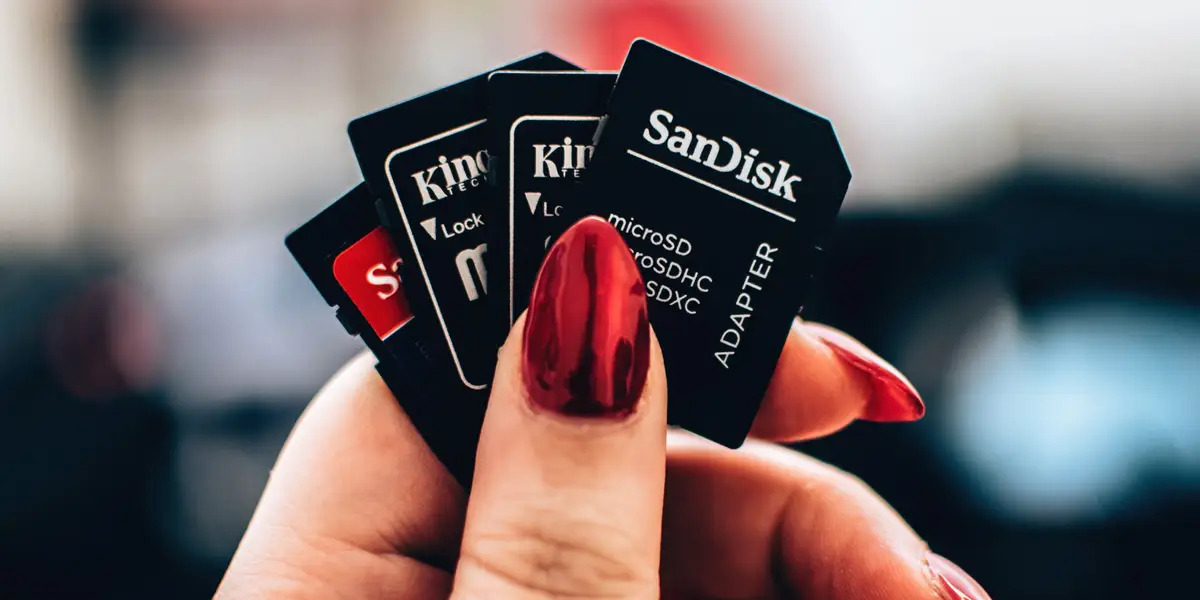
The best way to keep your SD card safe while traveling is to pack it in a dedicated, durable travel case with individual slots. The most important caveat is that you must also carry multiple backup cards stored in separate locations, so a single loss or corruption doesn’t erase all your photos. Before your journey, designate a specific pocket in your camera bag for your cards, label each one with a waterproof marker, and always handle them by the edges to avoid damaging the metal connectors with oils or dirt.
Packing and Organization
Proper packing and organization are key to keeping your SD card safe while traveling. Before your journey, designate a dedicated spot for your memory cards to avoid misplacing or damaging them.
Invest in a small, lightweight travel case designed to hold SD cards. These cases typically have individual slots to keep each card secure. Choose a case with a durable exterior and soft interior lining for protection against bumps and drops.
Label your SD cards using a waterproof marker or label stickers. Write a brief description on each card to easily identify its contents, saving time when searching for specific photos or videos.
When packing your camera bag or luggage, assign a separate pocket specifically for your SD cards. This prevents them from getting lost among other items and reduces damage risk from other objects.
Carry backups of your SD cards. Invest in multiple cards and keep copies of important photos and videos on each one. If one card gets lost or corrupted, you will still have a backup. Keeping cards in different locations also reduces the chance of losing everything in case of theft or loss.
Handle your SD cards with care. Avoid touching the metal connectors with your fingers, as oils, dirt, and moisture can cause damage. Hold them by the edges or use clean tweezers to minimize contact.
By taking these packing and organizing measures, you can ensure your SD cards are accessible and well-protected throughout your travels, preserving your precious memories.
Waterproof and Shockproof Cases
When it comes to protecting your SD cards from water damage and physical impact, investing in waterproof and shockproof cases is essential. These specialized cases provide an extra layer of protection, ensuring that your memory cards stay safe and functional in various conditions.
Waterproof cases are designed to safeguard your SD cards from accidental spills, rain, and even submersion in water. Look for cases that are rated for water immersion, indicating their ability to withstand water immersion up to a certain depth and duration. These cases typically have a rubber gasket seal or airtight closure system to prevent water penetration.
Shockproof cases, on the other hand, are specifically built to withstand rugged conditions and protect your SD cards from impact or drops. These cases are typically made with durable materials such as high-quality plastics, reinforced corners, or even metal exteriors. They have foam or cushioning inside to absorb shocks and vibrations, providing optimal protection for your memory cards.
When choosing a waterproof or shockproof case, consider the size and capacity you need. Look for cases that provide ample space to store multiple SD cards while keeping them securely in place. Some cases come with individual slots or foam cutouts for each card, ensuring they don't shuffle around during transit.
Additionally, opt for cases with a compact and lightweight design, making them easy to carry and fit into your camera bag or backpack. Some cases even have attachment points or lanyard holes for added convenience, allowing you to hang the case from your belt or backpack for quick and easy access to your SD cards.
Remember to test your waterproof and shockproof cases prior to your trip. Perform a simple water immersion test or drop test (using something non-fragile) to ensure that the cases are functioning properly and providing the level of protection you need.
By investing in waterproof and shockproof cases, you can have peace of mind knowing that your SD cards are well-protected from water damage, accidental spills, and physical impact, allowing you to focus on capturing stunning photos and videos during your travels.
Travel-Friendly Card Readers
While on the go, a travel-friendly card reader simplifies accessing and transferring photos and videos from your SD card to other devices. These compact devices let you view and transfer files without a computer or bulky reader.
Options range from SD-card-specific readers to multi-card readers supporting SD, MicroSD, and CompactFlash. Look for multiple card slots to ensure compatibility with different cameras and devices.
One type connects directly to your smartphone or tablet’s charging port via a built-in USB or Lightning connector. These lightweight readers enable easy file transfer and backup, often with a companion app for file management and photo editing.
For versatility, choose a USB-connected reader with a USB-A or USB-C connector for laptops, tablets, or compatible cameras. Some models include an HDMI output to view photos and videos on a larger screen while traveling.
When selecting a reader, confirm compatibility with your devices and operating systems. Look for features like high-speed data transfer rates to expedite file transfers, especially for large RAW image files or high-definition videos. To further protect your data, consider using cloud storage services that offer secure storage with automatic synchronization, allowing you to access your files from multiple devices. Additionally, backup software applications allow you to import and back up files directly from your SD card to your computer’s hard drive.
Having a travel-friendly card reader in your bag lets you quickly transfer and back up photos and videos on the go, freeing up memory card space and securing your memories. For passport-related travel needs, you can also use a tool for identifying a passport with a chip to streamline document checks.
Invest in a reliable, compact card reader to simplify your workflow and enhance photo and video management while traveling.
Backing Up Your Data
Backing up your data is a crucial step in ensuring the safety and security of your photos and videos while traveling. By creating duplicate copies of your files, you can mitigate the risk of data loss due to theft, accidental deletion, or SD card failure. Here are a few effective methods to back up your data.
Cloud storage is a convenient and reliable option for backing up your files. Cloud storage services offer secure storage with automatic synchronization, allowing you to access your files from multiple devices. Before your trip, consider uploading your photos and videos to a cloud storage platform using a reliable internet connection. This way, even if your SD card gets lost or damaged, you can still retrieve your files from the cloud.
An external hard drive or SSD (solid-state drive) is another reliable backup solution. These portable storage devices offer large capacities and fast data transfer speeds. Simply connect your external drive to a computer or laptop and transfer your files. Remember to keep your external drive separate from your SD cards and store it in a safe place to avoid loss or damage.
For added security, consider making multiple backups using different methods. For example, you can store your files in the cloud and also create a duplicate copy on an external drive. This way, even if one backup method fails, you still have another copy as a fail-safe.
In addition to external storage options, some cameras have the capability to create a backup directly using dual SD card slots. This feature allows you to simultaneously write your files to two separate SD cards, reducing the risk of data loss in case one card becomes corrupted. Check your camera's manual to see if it supports this feature.
Furthermore, if you have access to a computer or laptop while traveling, backing up your data using software applications can be an effective solution.
Remember, backing up your data should be done regularly throughout your trip to minimize the risk of losing photos and videos. Schedule specific times to perform backups and ensure that your backup storage is always accessible and secure.
By implementing a robust data backup strategy, you can enjoy your travels with peace of mind, knowing that your precious memories are safe and secure.
Avoiding Extreme Temperatures
Extreme temperatures can significantly impact SD card performance and lifespan. Take precautions to protect cards from both freezing cold and scorching heat while traveling.
Extreme cold can make SD cards brittle and more prone to physical damage. Avoid leaving them in freezing environments for long periods. In cold destinations, keep cards close to your body in a secure, insulated pocket to maintain warmth.
In extreme heat—such as deserts or tropical climates—prevent overheating, which can cause data corruption or render the card unusable. Avoid direct sunlight or hot vehicles; store cards in a cool, shaded place.
If you frequently face extreme temperatures, invest in SD cards labeled "high-temperature resistant" or "extended temperature range" to withstand those conditions.
When transitioning between temperature zones, allow cards to acclimate gradually. Abrupt changes can cause condensation inside the card, leading to moisture damage and data corruption. Store them in a sealed plastic bag or waterproof case before use to let them adjust.
By being mindful of extreme temperatures and taking these measures, you protect your SD cards and ensure they function optimally during your travels.
Keeping Cards Away from Magnets
To safeguard your SD cards while traveling, keep them away from magnets, which can cause irreversible data loss. Magnetic fields disrupt the electronic components of SD cards, potentially erasing stored data entirely. This risk applies to magnetic closures on bags or accessories, and to electronic devices like speakers or headphones with built-in magnets.
Store your SD cards in a separate compartment or pocket in your camera bag, away from any magnetic sources. Avoid placing them near devices with magnetic mechanisms, such as speakers, headphones, or hard drives. While modern devices often have magnetic shielding, caution is still best.
Be mindful of magnetic closures on bags, purses, or accessories used to carry your cards. Keep these closures separate from the cards to prevent accidental contact. Opt for cases or pouches with non-magnetic closures, or secure your SD cards in a designated inner pocket to minimize risk.
By keeping your SD cards away from magnets, you protect data integrity and avoid potential loss or corruption while traveling.
Handling and Cleaning Tips
Proper handling and regular cleaning of your SD cards are essential for their longevity and performance. By following these tips, you can ensure your cards remain in optimal condition while traveling.
First, handle your SD cards with clean hands. Oils, dirt, and moisture from fingers can damage the metal connectors. Avoid touching the connectors directly; hold the card by its edges or use clean tweezers to minimize contact.
When inserting or removing an SD card from your camera or card reader, power off the device first. This reduces the risk of accidental damage or data corruption.
Avoid bending or flexing the card. SD cards are delicate, and excessive force can cause physical damage. Always insert and remove the card gently, ensuring it is aligned with the slot before applying pressure.
Regular cleaning removes dirt, dust, or debris that may accumulate. Use a soft, lint-free cloth or an earbud to gently wipe the card’s surface. Avoid cleaning solutions or liquids, as they may damage the card. For a more thorough cleaning, consider a specialized SD card cleaning kit.
Do not expose your SD cards to excessive heat or direct sunlight for prolonged periods. High temperatures can warp the card and compromise performance. Store cards in a cool, dry place away from sunlight and extreme temperature fluctuations.
If you encounter issues like error messages or data corruption, refrain from attempting to repair the card yourself. Consult a professional data recovery service to avoid further damage or potential loss of valuable data. For instance, if you need to scan a passport for travel documents, ensure your SD card is clean and properly inserted to avoid read errors.
By following these handling and cleaning tips, you can maintain the quality and reliability of your SD cards, ensuring they safeguard your memories while traveling.
Conclusion
Keeping your SD cards safe while traveling protects your photos and videos. By following the tips in this article, you can ensure the integrity of your memory cards and focus on capturing moments.
Pack and organize your cards using dedicated cases and labels.
Back up your data to avoid losing memories. Use cloud storage, external drives, or dual SD card slots to create duplicate copies. This provides extra security—if one copy is compromised, you have another backup.
Avoid extreme temperatures: protect cards from freezing cold or scorching heat. Store them in temperature-controlled compartments and let them acclimate gradually to new environments.
Keep SD cards away from magnets to prevent data corruption. Handle them with clean hands, avoid bending, and clean them with a soft, lint-free cloth. You can also add your known traveler number to an existing booking to streamline your trip. By following these guidelines, you can travel confidently, knowing your photos and videos are safe.
